“My command center saves me hours of logistics every week. I love thinking about how many hours it’s going to save me over the course of my life.”
Luisa N.
CUSTOM COMMAND CENTERS
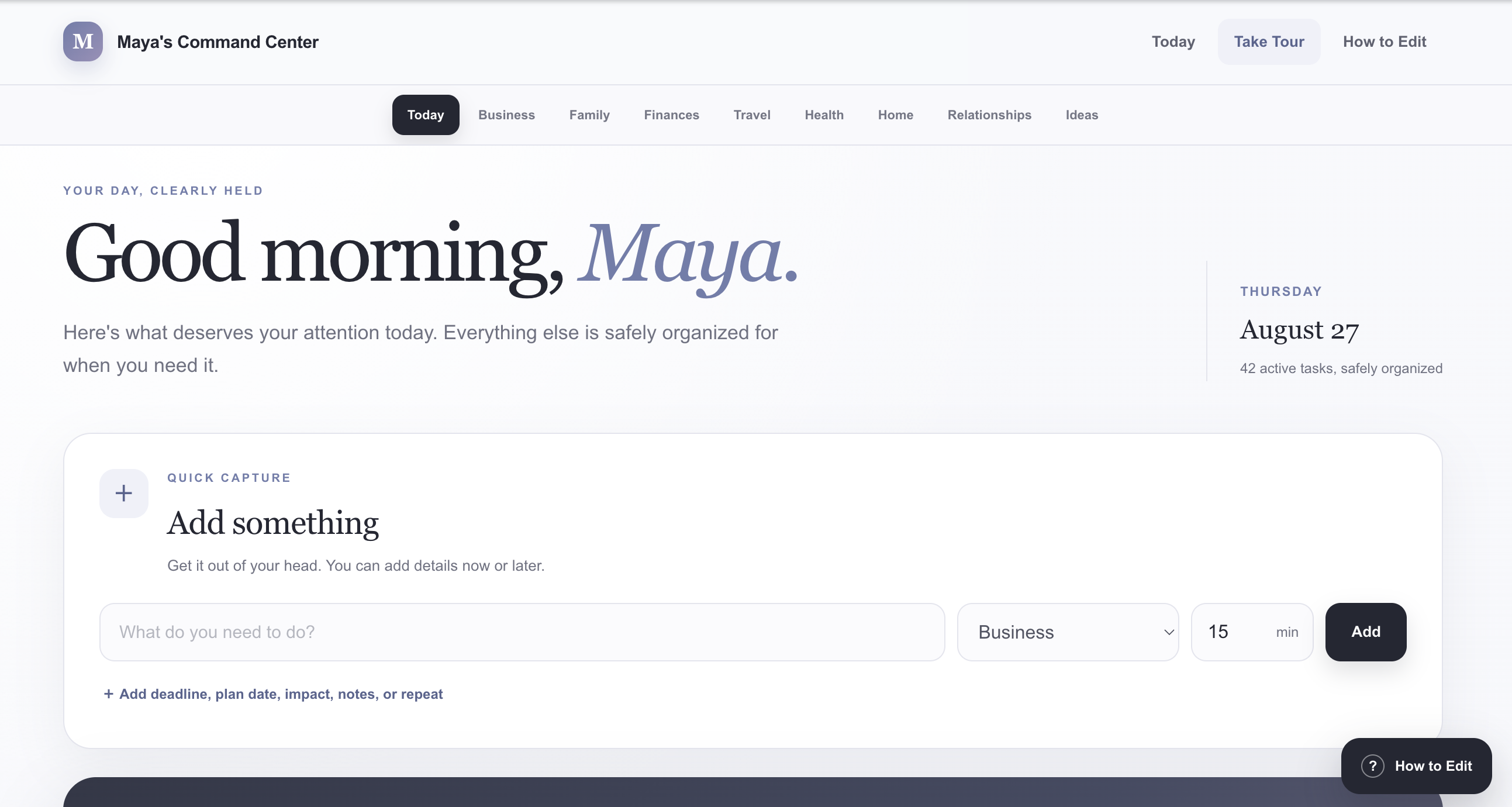
A simple tool that organizes your to-do lists, projects, routines, appointments, and life admin in one place.
TESTIMONIALS
GIVE THE MOVING PIECES A HOME
Put every part of life in its own clear place.
TIME IS THE REAL LUXURY
Spend less time looking for things, rebuilding plans, and deciding what to do next. Use that time to rest, travel, move your body, or be with people you love.
 Time with the people you love
 Time to care for yourself
 Time to enjoy the life you built
Estimates, not guaranteed results. Your savings depend on how you use the system.
YOUR LIFE, YOUR STRUCTURE
These are ideas, not rules. Add whatever belongs in your own Command Center.
BUILT FOR REAL LIFE
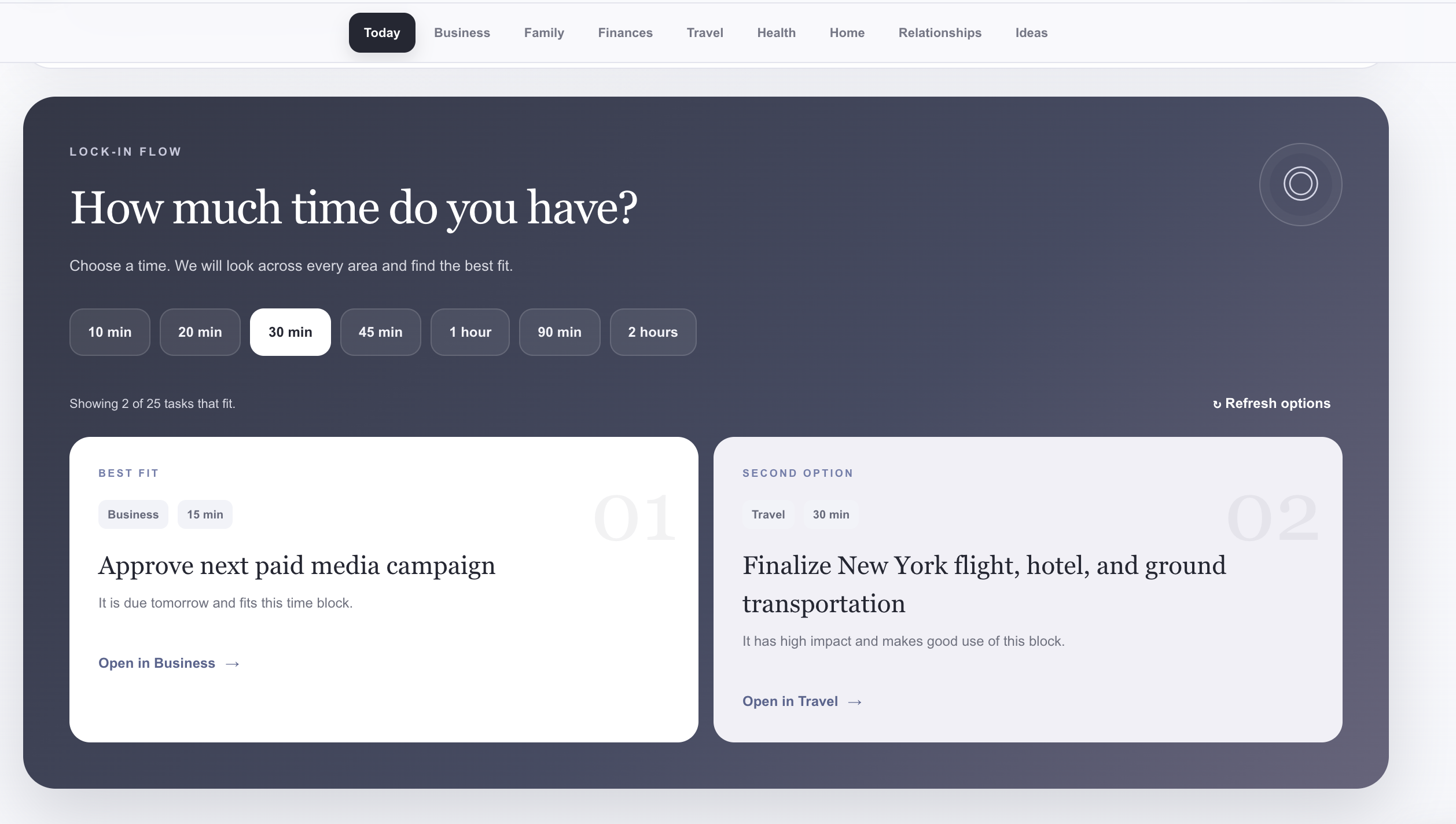
See what fits the time you have. Save every new idea without losing your place.
Choose the time you have right now. The system shows two useful tasks that can actually fit.
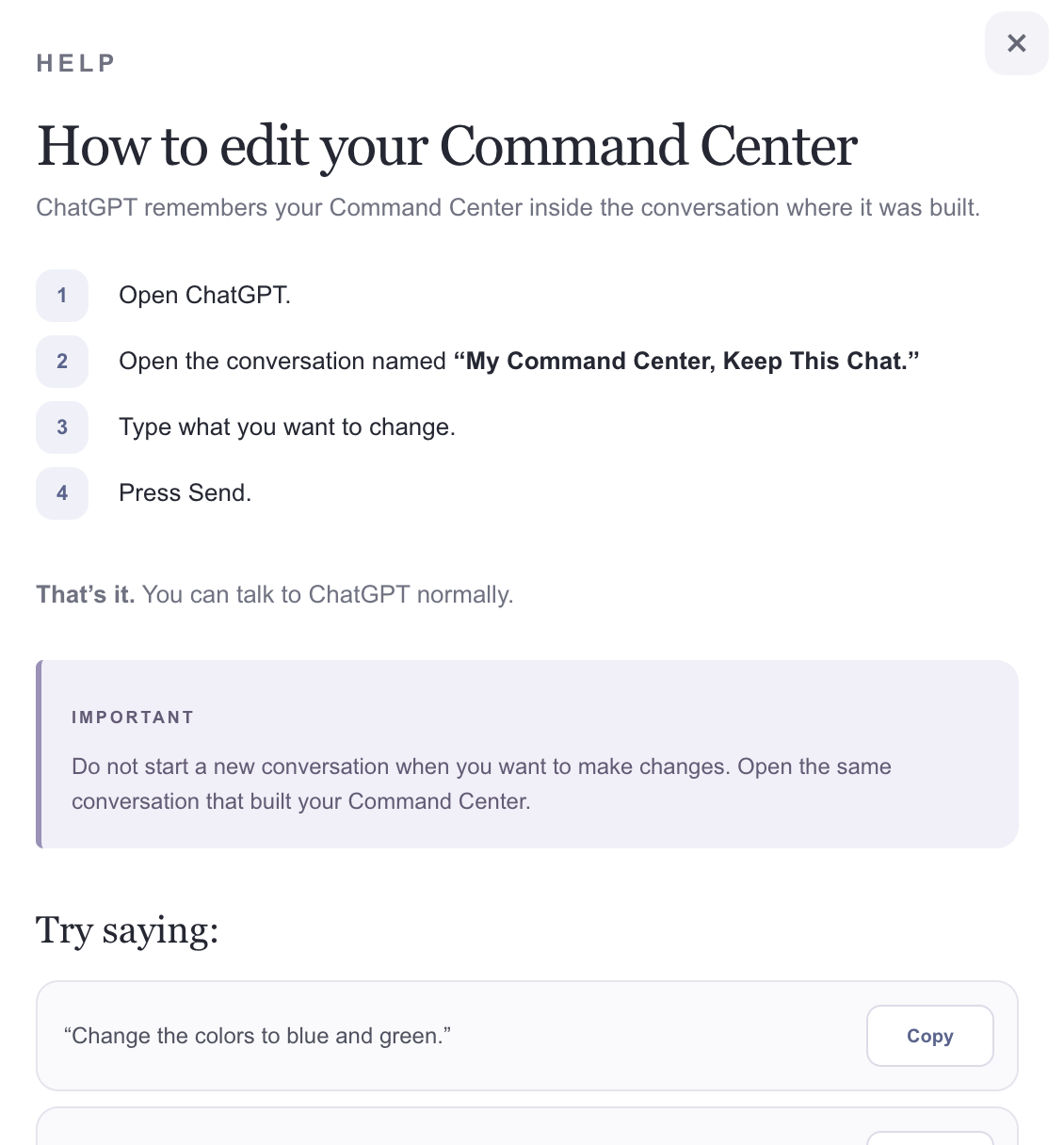
Open the same ChatGPT conversation, type what you want to change, and press send. No coding or rebuilding required.

WHY I BUILT THIS
I was tracking so many different parts of my life everywhere: screenshots, notes, apps, and reminders. I built one visual, easy to use place for all of it, so I could spend less of my life managing life. Then I realized how many people could benefit from this too.
“I am ambitious and I’m not interested in being overwhelmed.”Read my story →
These totals are rounded to whole hours and do not include the additional time recovered through custom systems and workflows. Because every Command Center is personalized, custom sales, content, client-management, operations, research, planning, and reporting workflows may save several additional hours each week.
THE INVESTMENT
How much is your time worth to you?
Time saved every week:5–11+ hours
Time saved over the next year:260–572+ hours
Time saved over the next 10 years:108–238+ days
Time saved over the next 50 years:542–1,192+ days( do the math! )
You will receive an onboarding email within 24 hours to set up your Command Center.
FROM EARLY ACCESS TO YOUR OWN COMMAND CENTER
You will receive an onboarding email within 24 hours to set up your Command Center.
Answer simple questions about your real life.
Use your answers with the master build prompt.
Change the colors, fonts, layout, and categories.
THE DETAILS
Most productivity apps ask you to fit your life into their structure. The Custom Command Center starts with your priorities, categories, language, and way of working. It gives work and personal life one visual home, then stays editable as your responsibilities change.
See your priorities, projects, routines, appointments, and life admin in one place. The goal is less searching, fewer tool switches, and less time deciding what deserves your attention next.
Answer a short set of customization questions, use your answers with the master prompt in ChatGPT Work mode, and build your Command Center. No coding is required.
You do not have to start over. Bring in what already works from your spreadsheets, notes, calendars, task apps, screenshots, or lists. That information can be organized into clear sections in your Command Center, so everything is easier to see and manage in one place. Remove any private information you do not want to upload.
The hardest part is already done for you. Building and testing a system like this on your own could take 10–20 hours or more. You answer the customization questions, then use the master prompt and guide to install your first personalized version in about 30 minutes, depending on its complexity. No coding is required.
No. Connections are completely optional. Your core Command Center works without them. If you connect supported calendars or accounts, you can reduce duplicate updates, see more useful context in one place, plan with fewer gaps, and switch between fewer tools. You decide what to connect and what to keep separate.
Yes. Your Command Center is compatible with both iPhone and Android. You can add it directly to your phone’s Home Screen so it opens and feels like an app. On iPhone, open your Command Center in Safari, tap the Share button, and select Add to Home Screen. On Android, open your Command Center in Chrome, tap the three-dot menu, and select Install app or Add to Home screen. The exact wording may vary slightly depending on the phone and browser.
No. You can use ChatGPT, Claude, or whichever AI platform you prefer.
Yes. You can use Claude or whichever AI platform you prefer.
Yes. The editing guide shows you how to change the categories, colors, fonts, images, labels, and layout. Return to the same ChatGPT conversation whenever your work or life changes, then tell it what you want to update.